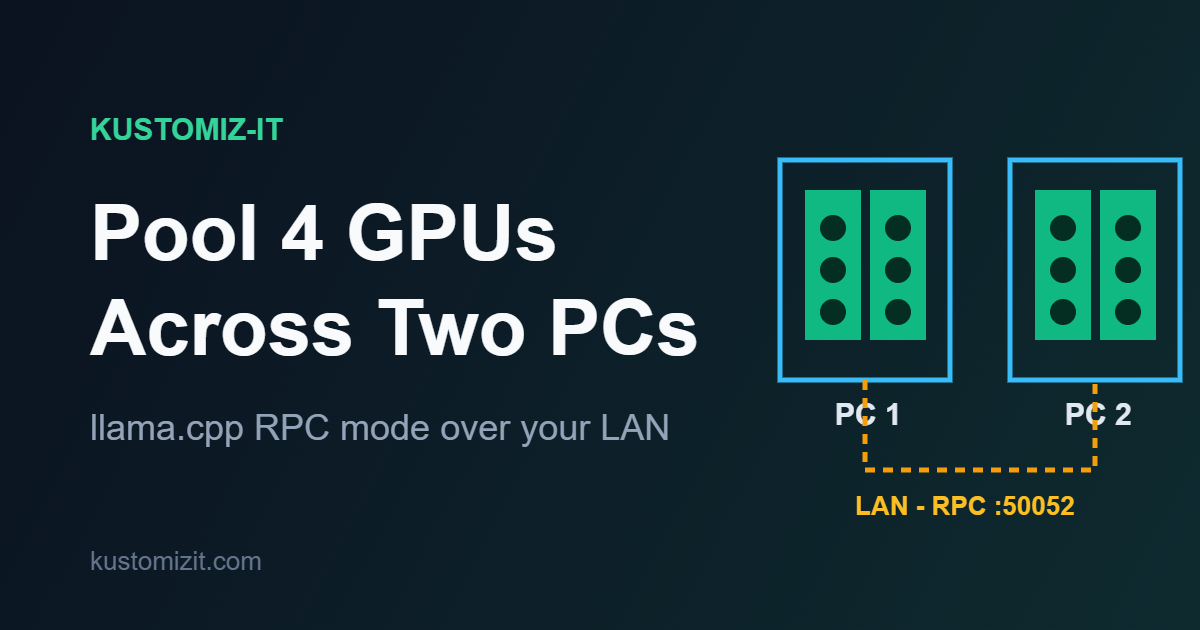
You don’t have to pick just one machine to run your model on. If you have two PCs with GPUs on the same network, llama.cpp can use all of them at once through its RPC backend. One box runs the model, the other just lends its GPUs over the network. In this setup I have two machines, each with two RTX 3060 12GB, connected over LAN. By turning one into an RPC server and pointing the other at it, llama.cpp sees all four cards and splits the model across them.
How it works
One machine (the main host) runs llama-server or llama-cli exactly as normal. The other runs a tiny RPC server that exposes its GPUs over TCP. The main host sends the GPU work to that server, and llama.cpp treats the remote cards like local ones, distributing the model layers and the KV cache across every device it can see.
Build llama.cpp with RPC
On both machines, build llama.cpp with CUDA and the RPC backend enabled. The flag is -DGGML_RPC=ON (the old -DLLAMA_RPC=ON still works but is deprecated).
cmake -B build -DGGML_CUDA=ON -DGGML_RPC=ON
cmake --build build --config Release -j$(nproc)
The executables land in build/bin. On the machine that will act as the GPU server you will also find the RPC server binary there. Depending on the version it is named llama-rpc-server or ggml-rpc-server.
Start the RPC server on the GPU machine
On the second PC, the one whose GPUs you want to lend, start the RPC server. By default it binds to 127.0.0.1, which only works locally, so bind it to all interfaces with -H 0.0.0.0 and keep the default port 50052.
./build/bin/llama-rpc-server -H 0.0.0.0 -p 50052It exposes both 3060s automatically (every non-CPU device) unless you restrict it with -d CUDA0,CUDA1. You will see a big warning that the host is not 127.0.0.1 – that is expected when running over the network. Make sure inbound TCP port 50052 is open in the firewall on this machine.
Point the main machine at it
On the first PC, run llama-server (or llama-cli) as usual and add the --rpc flag with the GPU machine’s LAN IP. The remote cards show up as RPC0, RPC1, … on top of your local CUDA0 and CUDA1.
./build/bin/llama-server -m your-model.gguf -ngl 99 --rpc 192.168.1.100:50052Replace 192.168.1.100 with the LAN IP of the second PC. With -ngl 99 everything that can be offloaded goes to the GPUs, and llama.cpp splits the weights and the KV cache across all four cards in proportion to each one’s free memory.
Check the devices
To see exactly which devices are in the pool (local and remote), run with --list-devices.
./build/bin/llama-server --list-devices --rpc 192.168.1.100:50052You should see your two local CUDA devices plus the RPC0 and RPC1 entries that point at the remote box.
Tuning
If you want to control the split yourself instead of letting llama.cpp decide, use --tensor-split with one number per device (local first, then the RPC ones), for example --tensor-split 1,1,1,1 for an even split. Other useful options are --split-mode (default layer) and --main-gpu.
To debug the connection, set GGML_RPC_DEBUG=1 on either side to get verbose RPC logging.
Keep in mind
RPC is an experimental, proof-of-concept feature and the protocol is not secure. Keep it on a trusted LAN and never expose the RPC server to an open network. And because every tensor now crosses the network, a fast connection (gigabit or better) matters – a slow link can eat the gains from the extra GPUs.